

The Lightspeed manual
Lightspeed documentation
Lightspeed runs long-lived agents as durable workflows. A session keeps its conversation and execution state across worker restarts. Agents can use tools, work with persistent files, and react to events. When a task needs a shell or other machine resources, you attach an execution environment.
Start with a model and a conversation, then add a reusable profile, workspace, or bot as the work requires. The guides below follow that progression.
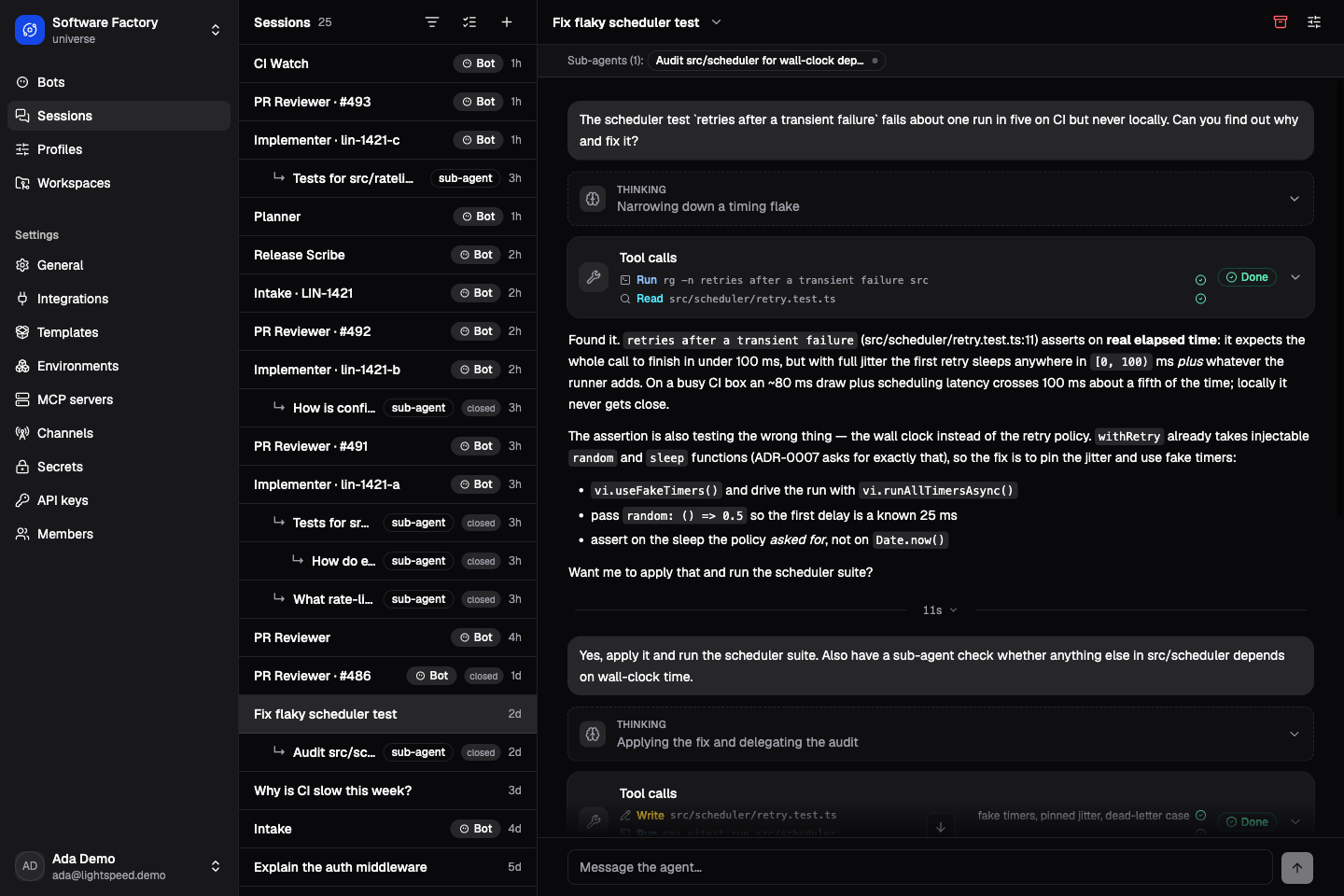
The Software Factory demo: a session investigates a flaky test, uses tools, and delegates an audit.
Try Lightspeed
Follow Get started with Lightspeed to run the product, connect a model, and start a conversation. Then build your first agent: a release editor that reads source material and saves a file you can inspect and revise.
Core concepts introduces sessions, runs, profiles, bots, workspaces, and environments.
Use an existing installation
Sign in with the account and universe supplied by your operator. A Contributor can start sessions using existing resources; configuring models and profiles requires an Operator or Admin. People and roles explains how an administrator grants access.
Start with Sessions and runs for working with an agent. Use Profiles and instructions to reuse its setup, Bots and triggers to give it ongoing work, or Environments to connect compute. The sidebar contains the guides for each capability.
Manage access and evaluate security
Access and security explains who can do what, where those rules are enforced, and how agent execution differs from a person’s access to the web app.
Use People and roles to manage members, Company sign-in (SSO) to connect your identity provider, API keys and service access to connect programs, and Tenant isolation and data protection to assess a deployment.
Deploy Lightspeed
Read the deployment overview to understand the services you will run, then follow Self-host Lightspeed. Operations covers monitoring, scaling, and retention; Upgrades and recovery covers backups and release changes.
For a specific setting or failure, use the environment-variable reference or Troubleshooting.
Build with Lightspeed
API and TypeScript walks through submitting a task and retrieving its result. Configurator MCP connects an MCP client to resource management. To add capabilities, start with Custom tools and model providers and follow the guide for your extension.
The JSON-RPC reference and workflow contract provide exact operations and payloads.
Understand how it works
Architecture explains how the agent loop, durable workflows, storage, and compute fit together. Continue with Agent loop and durability, Context and storage, or Tools and controller workflows for the mechanics behind a particular capability.
Develop Lightspeed
Local development covers the edit loop and docs preview. Testing and evaluation helps you choose checks for a change. Use Changing contracts when changing public APIs or schemas, and Contributing and releasing when preparing a contribution or release.